Check your parts against the drawing — with a camera.
Gnomon measures flat parts from a camera image and compares them with the drawing and its tolerances. Every dimension, every edge, pass or fail, with a report to sign. You set it up yourself; no programming, no specialist.
Runs in Chrome or Edge. Your images and measurements stay on your computer.
How it works
Four steps. The first time takes an afternoon; after that, a check takes a second.
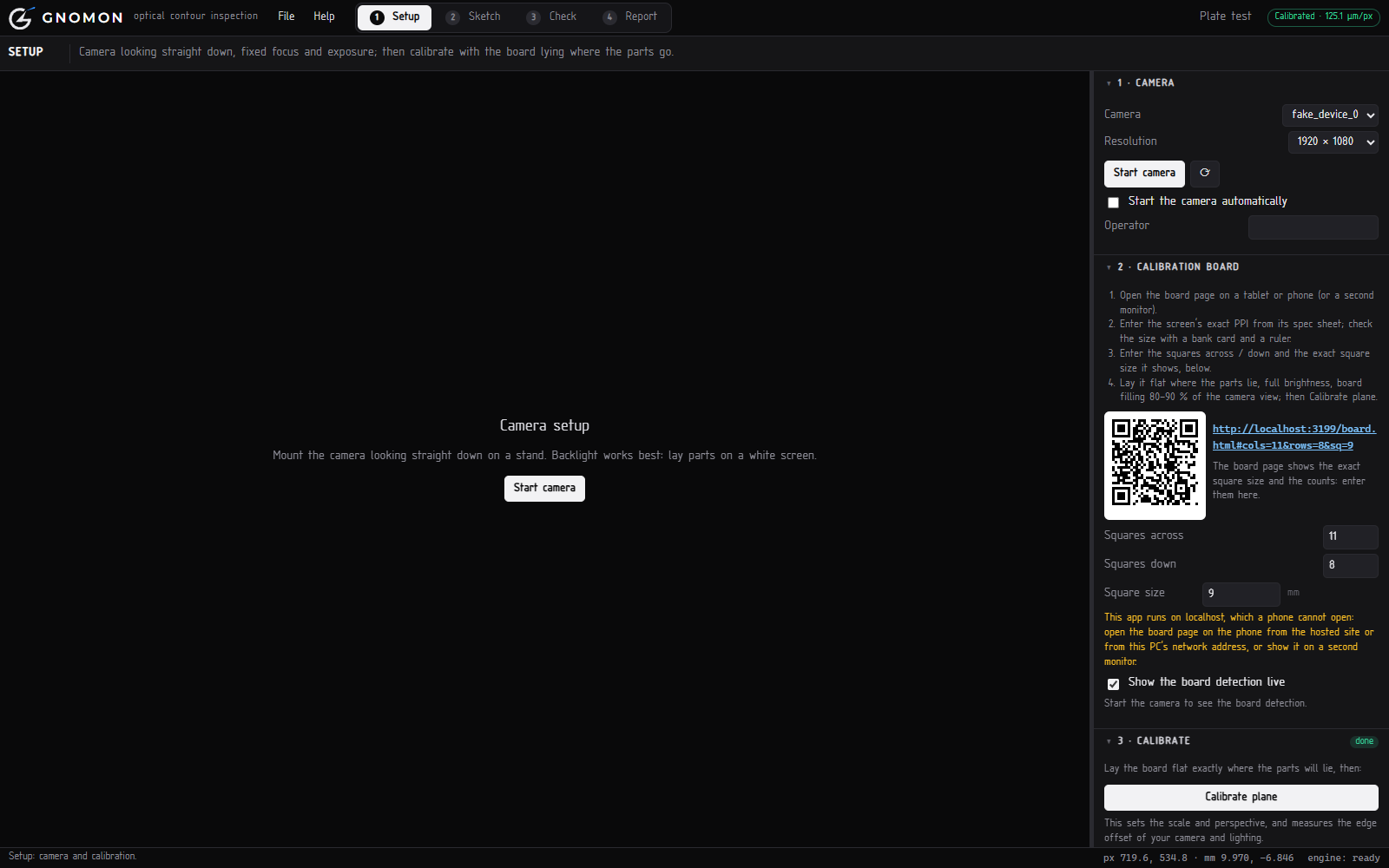
Calibrate with a tablet
A tablet or phone shows a calibration pattern under the camera. Gnomon measures the scale, the camera angle and the lens in about a minute. A bank card or gauge block confirms it.
Draw the part, or import it
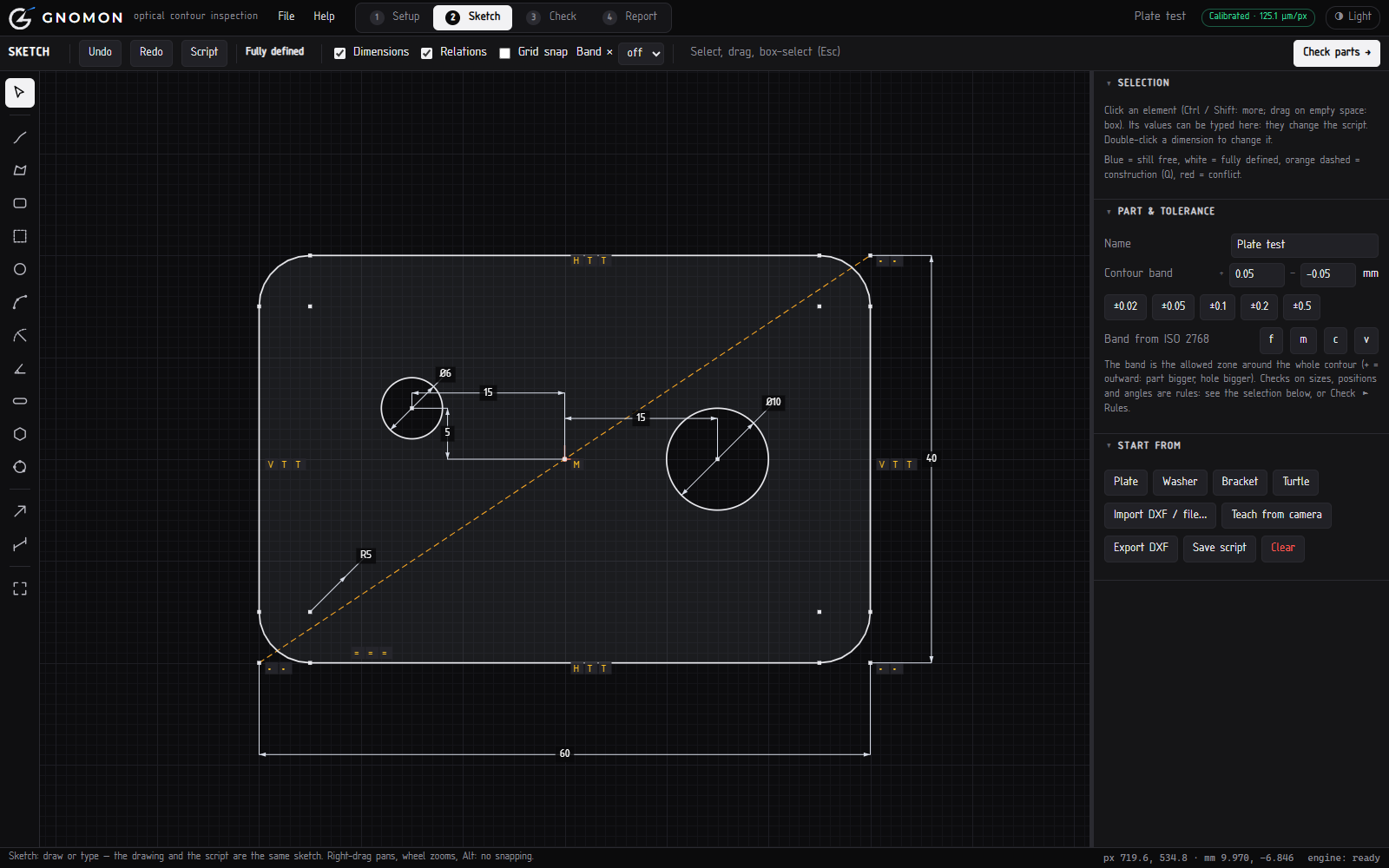
Draw the outline with lines, arcs and holes and type the dimensions — like a simple CAD sketch. Or import the DXF from your drawing, or let Gnomon learn the shape from a good part.
Put a part under the camera
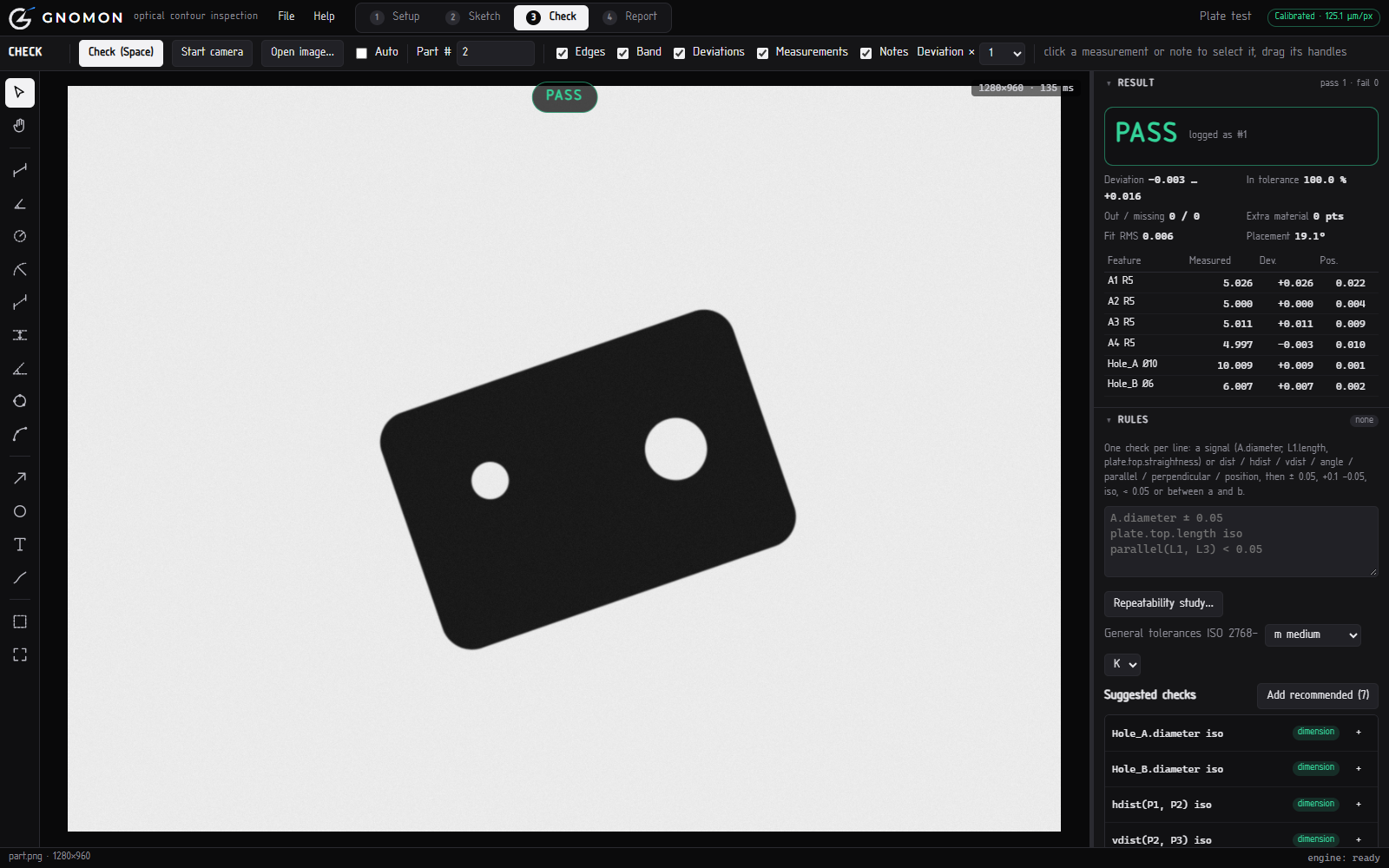
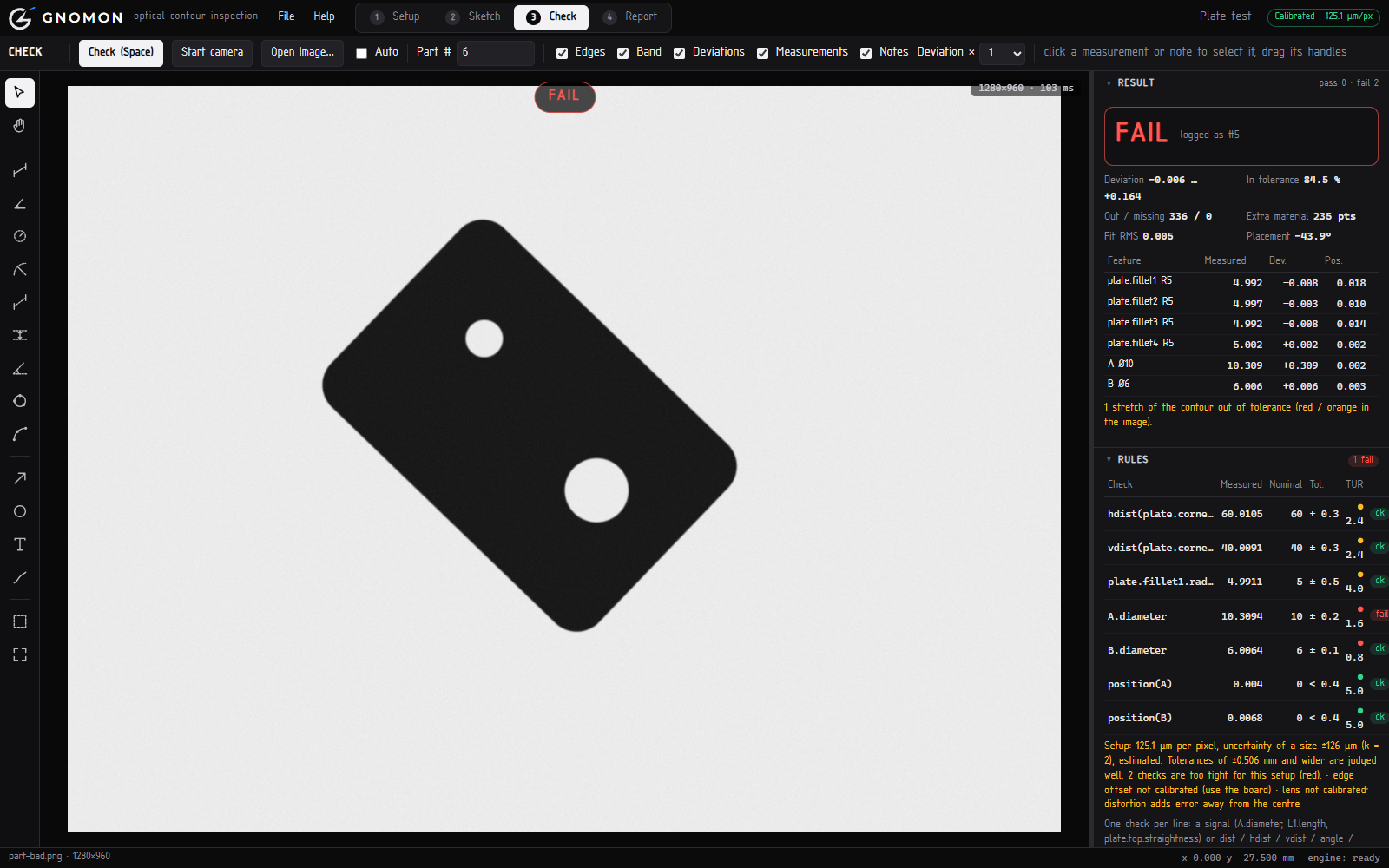
In any position. Gnomon finds it, lays the drawing over it and checks every edge against the tolerance. You see straight away what is wrong, and where.
- Diameters, distances, radii, angles, straightness, position
- Gnomon suggests which dimensions to check
- Your own tolerances, or ISO 2768
Report, history and trends
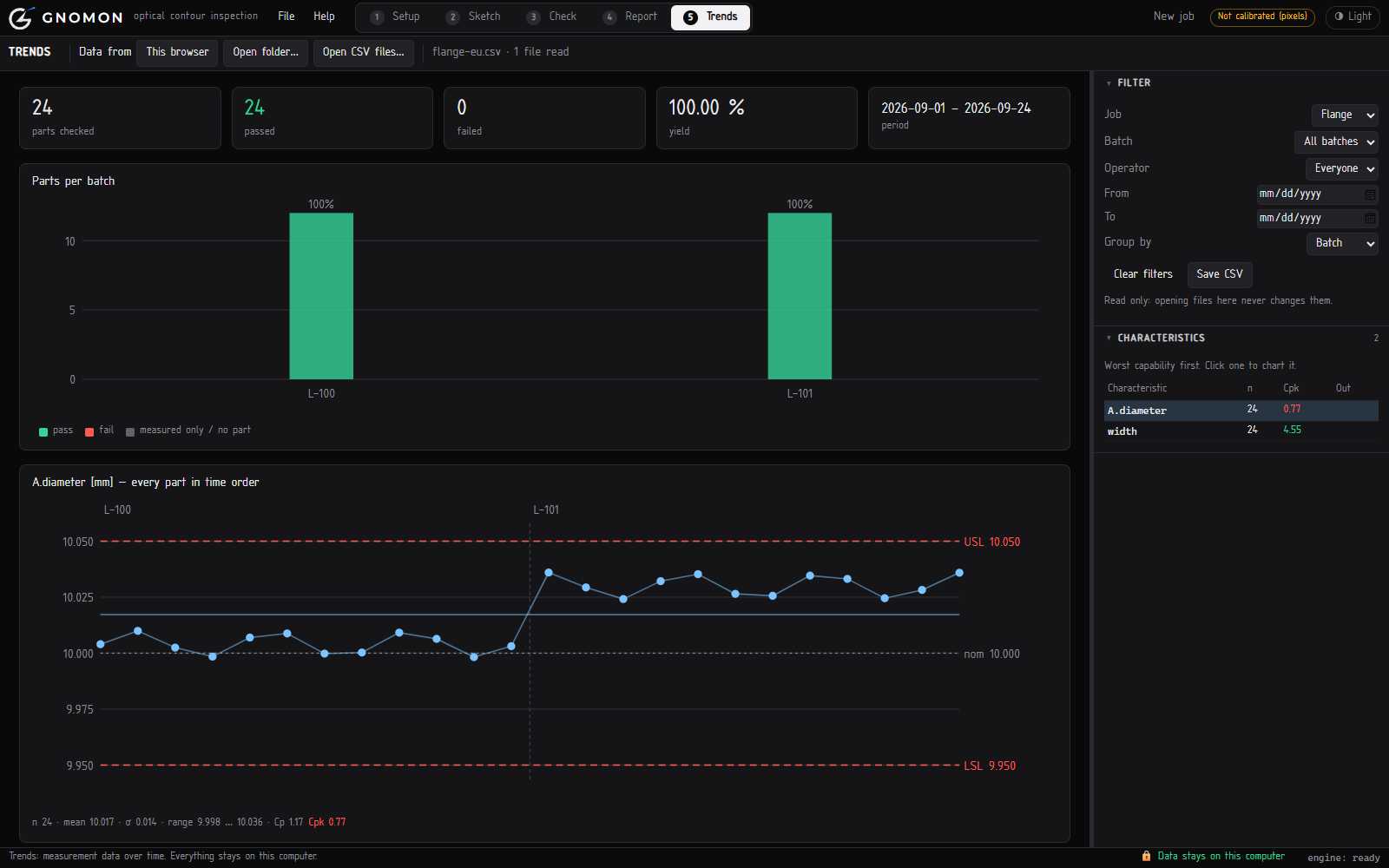
Each check is logged with its picture. Print or save a report as PDF, export the measurements to Excel, and follow them over time.
- Run charts per dimension, per batch, week or operator
- Yield and Cp / Cpk, the figures your customers ask for
- Read a whole folder of measurement files at once
What you need
Ordinary equipment. You may have most of it already.
A camera on a stand
A good USB webcam (1080p or 4K) on a copy stand or arm, looking straight down.
A light panel
A flat LED light panel under the part gives a sharp outline. A plain white surface also works for many parts.
A tablet or phone
Only for calibration: it shows the pattern. Any recent tablet or phone will do. And a PC with Chrome or Edge.
Your measurements stay on your computer
Gnomon is a web page, but it does all its work on your computer. Nothing you measure is sent anywhere.
- No upload. Camera images, drawings and measurements are processed in your browser and never sent to a server.
- No account, no cloud. There is no Gnomon database. Nobody else can see your parts or your results.
- Your files, your folder. Choose a folder on your computer or network drive: every check is written there as a CSV file, with its picture. Back it up like any other file.
- Locked down. The page's security settings forbid it to send data to any address. Your IT department can check this in the page source.
It tells you what it can measure
A camera has limits, and Gnomon is open about them. For every dimension it shows whether your setup can judge the tolerance reliably — so a “pass” means something.
A traffic light per dimension
Green: measured well within the tolerance. Amber: borderline. Red: this tolerance is too tight for this camera and distance — use a caliper or a closer camera.
Repeatability study built in
Measure the same part several times and Gnomon gives the spread and Cg / Cgk, the way quality engineers expect.
How fine you can measure depends on the camera and how large the field of view is. After calibration Gnomon calculates it for your setup and shows the smallest tolerance it can judge reliably.
Questions
Do I need CAD or programming skills?
No. If you can read a drawing, you can draw the part in Gnomon: lines, arcs and holes, and you type the dimensions. You can also import a DXF, or let Gnomon learn the shape from a good part.
Which parts can it check?
Flat parts and profiles seen from above: laser and waterjet cut parts, sheet metal, stampings, gaskets, machined plates, 3D-printed parts. Gnomon checks the outline and holes — not heights or depths.
Where is my data stored?
Only on your computer: in the browser, and as CSV files and pictures in a folder you choose. Nothing is uploaded and there is no account. The page needs the internet only to open.
Can several stations share their results?
Yes, through a shared network folder: each station writes its CSV files there, and the Trends view reads the whole folder.
Will it open in my Excel?
Yes. Gnomon writes the CSV the way Excel on that computer expects it — decimal point or decimal comma — so the numbers come out right in any country.
Does it replace our measuring equipment?
For many flat parts it replaces the caliper and the manual measurement report — faster, and on every part instead of a sample. For very tight tolerances Gnomon tells you so, and you keep using the measuring instrument for those.
Why Gnomon
Most products that fail in the market do not fail for exotic reasons. They fail on the basics: a hole 0.3 mm too large, an edge out of square, a batch from a supplier that slowly drifted.
Measuring catches these, but measuring machines are expensive and need a specialist. So in many companies a few parts are checked with a caliper, or none at all. Gnomon makes measuring every part something you can start with today.
“The one who knows.” In Greek the gnomon was the carpenter’s square that checks a right angle, and the blade of a sundial that reads the time from a shadow. Gnomon reads a part from its shadow and checks it against the drawing.
Try it with your own parts
Open Gnomon in Chrome or Edge. The built-in guide takes you through calibration and your first check.